ubiquitous computing, cognitive science, design and everyday things
Friday, 31 May 2024
Paper Circuits at Electromagnetic Field 2024
Sunday, 23 May 2021
micro:bit music making
The year 6 Fleetville Code Club has kept going during all through lockdown – we spent a lot of time in Minecraft, which worked pretty well for virtual sessions, since we were all sharing the same virtual space.
This term we did something a bit different: the students have been making and programming MINI•MU musical gloves. This is a kit designed by Helen Leigh based on the MiMU Glove – in turn invented by the musician Imogen Heap and her team. You can get a glimpse of what the full MiMU Gloves can do in the following video:
The MINI•MU Gloves are considerably simpler than the ones in the video – instead of picking up all finger and hand movements, they use the movement sensors on a BBC micro:bit to detect basic hand motions, like how much you tilt your hand front to back and side to side. It’s still plenty of input to use for a musical instrument though!
We received the glove kits thanks to the OpenUK Digital Kids Camp and Huawei – who sent out 3000 kits and provided some cool e-zines which we used as a basis for our sessions. The students had to first cut the pattern from felt and sew their glove together, then connect the micro:bit, sound board and battery pack – before programming the micro:bit to make their own sounds.
This was a harder project to get to work in an all-remote environment, and I think some of the students found it hard to stay engaged without being able to share their creations in real life. Even so, I was really impressed with what they managed to build. Here’s my favourite wishing one of the student’s grandparents a happy birthday!
The @FleetvilleJnr year 6 @CodeClub have been making and programming MINI•MU Gloves this term – here's my favourite recording for the #MicrobitVirtualConcert with @jrflorentine & @TinkeringStudio
— Adam Cohen-Rose (@adamcohenrose) May 21, 2021
Thanks to @openuk_uk for providing the kits designed by the amazing @helenleigh! pic.twitter.com/d7nJ7z32Uc
Taking it further…
The MINI•MU gloves make it easy to make a sound as they have a built-in speaker. However, the micro:bit can only make very simple beeps by itself.
I spent a bit of time trying to get closer to the full MiMU glove experience by sending the movement of the glove to something else that could make some richer sounds.
Scratch
One option is to connect the micro:bit to Scratch using its bluetooth connection. The Scratch site has very clear instructions on how to get the micro:bit connected – you need to install the Scratch Link software on macOS or Windows, or else use the Scratch app for ChromeOS or Android tablets; then install a special program on the micro:bit itself; and finally add the micro:bit extensions to Scratch and identify your micro:bit by the name it displays.
There’s a few tutorial programs to get you started on the Scratch site, and there’s a range of examples on the microbit site as well – including a theremin to make spooky sci-fi noises.
I’ve made another example that lets you make noises as you move either the mouse or the micro:bit around. You can have a go below:
Bluetooth MIDI
Another way to get better sound from the MINI•MU glove is to connect the micro:bit to a tablet or computer using MIDI over Bluetooth. MIDI is a music communication system that’s even older than the micro:bit’s BBC precursor from 1981, the venerable BBC Micro. You can use MIDI to describe starting and stopping a particular note, how hard the note is played (its velocity) and all sorts of other variations – and the system is supported by most music making programs, including things like GarageBand.
To get MIDI from your micro:bit to your computer or tablet is a little complex but once it’s working, you can make all kinds of sounds! Here’s some tips and tricks to get you going:
Build a project with the Bluetooth MIDI extension
To send Bluetooth MIDI from your micro:bit, you’ll need to add the Bluetooth MIDI extension:
- In MakeCode, click Advanced at the bottom of the blocks
- Scroll down to the bottom to see Extensions
- Click that and type “midi” into the search bar
- Make sure you click on the bluetooth-midi extension, not the plain midi one
- You’ll now have some extra light blue blocks in the Midi category
Here’s a ready-made project you can start with – Pentatonic MIDI controller
Tilt your micro:bit left and right to choose a note, then press the A button to make the micro:bit send the current note. There’s a secret feature to use the light levels picked up from the LEDs – can you figure out how to use it?
Make your micro:bit easier to connect
micro:bit MakeCode projects have a secret option that makes it easier to connect the micro:bit to something over bluetooth. It would probably make things harder if you had lots of devices in a classroom, but if you’re just wanting to connect a single micro:bit to your computer or tablet then this will make your life much easier!
- Go to project settings by clicking on the gearwheel at the top right of the page
- Turn on “No Pairing Required: Anyone can connect via Bluetooth”
- Click Save
- Re-download your project to the micro:bit
The Pentatonic MIDI Controller project above already has this option set for you!
micro:bit to iPad
This is fairly simple – in GarageBand for the iPad, go to Settings (the gearwheel icon), click Advanced, click Bluetooth MIDI Devices, tap the micro:bit then tap the Connect switch on. If the micro:bit is marked as offline, click Edit and Forget the device.
Now you can use your micro:bit to play and record tunes in GarageBand – and choose any instrument you want!
micro:bit to Mac
macOS won’t connect to the micro:bit by itself and needs a little bit of prompting. Download and run the Bluetility app to see the micro:bit, then click the last service and the last characteristic (they should start “E95D93AF-” and “E95DB84C-” respectively). You should then see a Subscribe button to click in the Detail pane – and this should then make the micro:bit appear in your Bluetooth system preferences.
Now that the micro:bit is connected over Bluetooth, you need to tell the macOS MIDI system that it needs to listen to it. Open the Audio MIDI Setup app (it lives in /Applications/Utilities – or just use Spotlight Search). Make sure the MIDI Studio window is showing (if not, go to the Window menu and choose Show MIDI Studio). Then click the Bluetooth symbol in the MIDI Studio window’s toolbar, which should open the Bluetooth Configuration window and list your connected micro:bit. Click the Connect button next to your micro:bit and you’re finally ready to play!
Open GarageBand, create a new project, and add a Software Instrument. GarageBand should pick up the connected micro:bit immediately and play the notes that you send. You can then choose different sounds from the Library to make your micro:bit play whatever instruments you want.
micro:bit to Windows 10
I haven’t tried this, but there’s a very clear video by BEATNVISION that suggests using the MIDIberry app to receive the Bluetooth MIDI from your micro:bit and play sound.
Use the micro:bit connectors
As well as the movement sensors, the micro:bit also has edge connectors that you can use to attach all sorts of other technology. The MINI•MU glove uses these to connect the speaker, but if you’re going to use bluetooth to output the sound, then you can use the connectors to get more input.
Here’s the micro:bit wizard David Whale with his micro:bit guitar:
And if you really want to see how far you can go, how about using muscle movements to control your music? Here’s a video on how to pick up electrical changes from your muscles using a micro:bit:
Keep making music!
Wednesday, 22 June 2016
Bringing the real world into Minecraft
I’ve been running a Code Club at Fleetville Junior School in St Albans for the past four years and we have a whole load of fun programming and making things with computers.
About a year and a half ago, I introduced some Minecraft challenges to the club and soon discovered that it was the genie that can’t be put back into the bottle…
But what a genie! The students have been programming virtual turtles to build and dig their way through challenges, culminating in designing and building huge bridges across an endless ocean (see their videos). They can’t get enough of being in Minecraft — even if they’re not allowed to kill each other or blow things up!
For the follow-on project from the bridge building, I wanted to give the students the chance to create something without programming — so I asked them to build a model of their school in Minecraft. They loved the idea!
I wanted the students to build the model themselves, but they needed a guide to help them get things to scale. I figured that a flat map of the school buildings sitting in the Minecraft world would be a good place to start.
Google Maps has a good detailed view of the outside of the school, but this wouldn’t help with the interior rooms. Luckily the school had a PDF architectural plan of the school that they were happy to contribute.
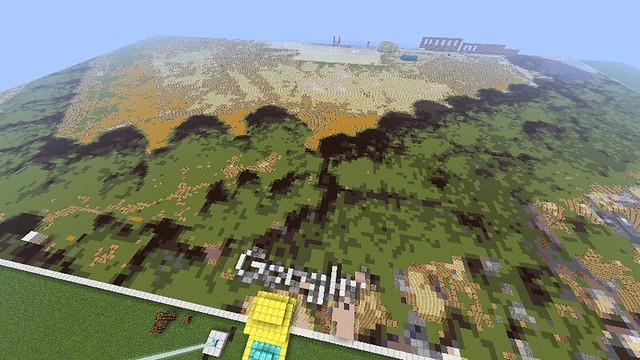
I took a screenshot of the Google Earth aerial imagery of the school and its grounds and then combined the image with the architectural plan in a drawing program.
The next step was to convert the image into a Minecraft “schematic” file — this is a file that can be imported into a world using the WorldEdit mod. There’s a great little program called Spritecraft that does exactly this job. You’ll need the (paid for) Full version of Spritecraft to export as a schematic, but all the money goes to a children’s charity.
It took me a little while to adjust the image to give a good output in Spritecraft. First of all, I had to adjust the architectural plan to make it a bit more chunky — those fine lines just didn’t make it into the block-based world of Minecraft. Filling in the walls and removing the door symbols helped a lot, as did setting the windows to a contrasting colour (don’t forget that some students might be colour blind).
Secondly I had to choose a scale… I measured the outside of the school using Google Maps (right-click on a starting point and choose “Measure Distance” then left-click on the end point) and compared this to the number of pixels across the school in the image. Although Minecraft is all set up to use one block to one metre, using this default scale made the school corridors too narrow at just one block wide!
For my build, a scale of 1.5 blocks to 1 metre seemed to work better — the corridors were a couple of blocks wide and the building didn’t seem too large. This might be different for your build — so play around and see what works for you. Here's the result:

Finally, I exported the schematic file from Spritecraft and copied it into the correct server directory (for MinecraftEdu that’s server/schematics but it may be different for your server). Then in a flat Minecraft world, I used the WorldEdit //schematic load <filename> and //paste commands to make the plan appear on the ground.
For our school there was an extra complication — the whole school is built on a slope, with steps and ramps along the corridors. To ensure the floor level ended up in the right place, I asked the students to start building at the lowest point of the school and then create the corridors (with their slopes and steps) before creating the classrooms.
This has been a really successful project so far. The students have made some really detailed rooms, complete with furniture, automated lighting systems(!) and non-player characters acting as teachers.
Here’s some pictures of their build so far — I hope to make another video before the end of term of the students giving a guided tour…
If this has helped you and you’ve created something from the real world in Minecraft (especially another school), please comment below — I’d love to hear from you!
Thursday, 17 March 2016
Mobile@Scale 2016
Last month Facebook invited mobile developers into their London offices for a collaborative discussion on scaling mobile development.
The focus was mainly on native development — and the attendees were mostly iOS and Android developers — but the scope expanded to include scaling development processes as well as how to scale apps for lots of users.
Jim Purbrick @JimPurbrick, Engineering Manager in Facebook London’s office, introduced the talks by saying that on mobile, the bug stakes are higher — once a bug is released, the app is on people’s phones and is much harder to fix. You can’t just update the code and see people get the fix in the next page refresh.
And for all the focus on ending up with a native app in the platform-specific app store, two of the big themes were sharing code across platforms and being able to make quick changes to apps that were already deployed.
I was impressed by the inclusivity of the conference — not only were the speakers from a variety of companies (not just Facebook or Facebook partners) but the audience were encouraged and given time to ask questions and discuss with the speakers.
The talks and discussions were all videoed and I’ve linked to them below together with my notes highlighting the points that made an impression on me.
Scaling iOS @ Google
Michele Aiello @micheleaiello, Tech Lead Manager on the Calendar app, Google
Michele gave a really detailed talk about how the iOS teams at Google deal with handling large amounts of code shared amongst many geographically spread developers. There’s lots of useful nuggets in here — and it’s interesting to see where Google have invested time and effort in order to make cross-platform and large team development easier.
Scaling iOS @ Google - Michele AielloPosted by At Scale on Monday, 28 March 2016
- Google has more than 60 apps in the Apple App Store!
- iOS devs have moved from London to every office worldwide
- strategy on how to share code really important
- design & ease of use crucial for scaling apps
- yearly gathering of all mobile developers
- often start shared efforts there
- regular tech talks in local offices + recorded & streamed around the world
- have feature specific “Tiger teams”
- one goal: ship a feature
- cross functional: Android, iOS, web, PM, UX, API, etc
- have trouble with merging & reviewing xib, project & storyboard files
- so Chrome team developed GYP: JSON for structure & dependencies
- GYP: “generate your project”
- use storyboard & xibs for prototyping, then shared code for elements
- release management:
- regular releases every 2-6 weeks
- with feature flags to toggle new features
- compile time flag during initial dev, then runtime flags for later
- known as the release train
- heavier-weight trains need synchronising with marketing etc — ok to be a little late
- 75%-80% of users are using auto-update so automatically get updates
- testing:
- XCTests for functional and performance
- KIF & Earl Grey for UI tests
- sharing code
- single repo
- HEAD is always stable
- all code is available and shared
- making a change in shared code: see the test results and roll back if issues
- for any shared code
- enforce documentation & example code
- catalog app for UI elements
- for cross platform sharing
- try to share model cross platform and to server too
- makes offline easier
- have tried webviews & javascript
- now using C++ & J2ObjC
- C++ easy on iOS, complicated on Android
- used in Chrome
- j2ObjC used for Inbox
- j2ObjC even lets you debug into transpiled Java code in Xcode
- breakpoints, stepping, variable values all work
- if code is simple, look at sharing the tests rather than the code
- swift at Google: currently playing with it
- have found that development is faster
- probably waiting a few months to bring into production apps
- user testing using beta releases (testflight, android beta)
- metrics in the app
- surveys after testing
- have tools to search whole repo to find out if code is still used
- sharing layout
- done using sharing layout logic
When mobile IDEs need to scale
Al Sutton @AlSutton, Facebook
Al talked about how Facebook builds Android apps, and how they feed back improvements to their build process into the open source community (e.g. IntelliJ community edition and the Buck build tool). By using Buck, they allow their developers to choose whatever IDE they want.
When mobile IDEs need to scale - James Pearce and Al SuttonPosted by At Scale on Monday, 28 March 2016
Nuclide
James Pearce @JamesPearce, Head of Open Source at Facebook
James continued from Al’s Android introduction to talk about Facebook’s new Nuclide IDE for building iOS apps… It’s exciting to see some competition in the iOS IDE world — whilst Xcode is great at some things, it often leaves a lot to be desired. JetBrains’ AppCode is a useful challenger but to have an extensible open-source IDE for iOS could be a game changer. The only downside for me is that Nuclide relies on Buck, so you have to change your project to buy in to the Facebook toolchain. Perhaps if someone could create a Fastlane plug-in…?
- unlike IntelliJ, Xcode is not open source, so can’t contribute
- existential issue for Facebook…
- started extending Atom from github
- aded Flow, Babel, Clang & Buck
- created Nuclide
- also added Chromium dev tools to help debug into app
- lets you debug into Javascript, Objective C, etc all in same place
- transpiling keeps source maps to help with line numbers
- also lets you inspect into UI hierarchy for ReactNative apps
- includes highlighting
- now have 2/3rds of committing engineers using Nuclide
- have analytics built-in
- tracking feature usage
- internal infrastructure team has become a product team
- now available at http://nuclide.io
- analytics kept for internal
- other open source projects
- pop: iOS animation library
- doesn’t have refactoring yet
6 lessons learned scaling mobile at SoundCloud
Next up were a couple of sessions from smaller companies (though still not small!) showing how they built and adapted their apps faster to keep up with demand. SoundCloud spoke about using ReactNative (more on that later) and how they structured their dev teams to include mobile developers.
Jamie McDonald (Android) @jdamcd & Matej Balatic (iOS) @skavt, SoundCloud
6 lessons learned scaling mobile at SoundCloud - Jamie McDonal…Posted by At Scale on Monday, 28 March 2016
- building out new SoundCloud Pulse app for people creating sounds
- most engineers busy on main SoundCloud listener app
- got a partner for Android, but built iOS app with ReactNative using web developers
- shared design & feature set across platforms saves a lot of time
- were previously designing features twice
- marketing was more complex too
- mobile specific API
- mobile-specific features: background sync, batch fetches
- “back-end for front-end” idea from ThoughtWorks
- developed C-based mobile playback library (skippy)
- initially for Android, now rolled out across iOS too
- e.g. optimise streaming for emerging markets
- tried to spread mobile devs through feature teams
- but spread too thinly
- weren’t able to pair and share knowledge
- instead created clusters of feature teams
- mobile engineers shared amongst each cluster
- could be in enough numbers together
- release train model
- each feature team can take responsibility for shipping
- allowed action but also feedback and responsibility
- use feature flags — team responsible for turning on when ready
- tools used:
- iOS:
- FlipTheSwitch
- stable CoreData stack — specific use of framework
- Android, use LightCycle (soon to be open-sourced)
- forward life cycle events to small independent modules
- receives callbacks but doesn’t need to know which activity its attached to
- enables better unit tests as can separate things out more effectively
- iOS:
Backend-driven native UIs
John Sundell @johnsundell, iOS Developer, Spotify
Spotify have an almost completely content-based app and are constantly tweaking to change the presentation and priority of different music. John and his team came up with a way of handling that change by controlling the whole app UI from the backend API.
Backend-driven native UIs - John Sundell and Diego Cristina Ca…Posted by At Scale on Monday, 28 March 2016
- define components in backend API
- generalised data binding
- generalised components
- implement standardised components which can be picked up from API
- can put cacheing, and lots of standard stuff in the generalised app
- control the UI from the backend
- API contains view models rather than raw models
- Ed.: makes sense if you have an app with lots of similar components
- especially for a content-based app
- similar to Google’s code-based component library
- were able to delete 20,000 lines of code on home page browse view
- overall have been able to delete 100K lines of code across iOS & Android
- use layout traits to control layout
- e.g. full width, separator, stackable
- request sends a lot of data about the device to the backend
- can return different components & layout depending on device or screen size etc
- sometimes send extra data in response so can handle quick changes e.g. screen rotation
- support infinite scroll using metadata with URIs for follow-up pages
- can set up fallback components — if this not available, fallback to previous
- enables playing around with new features & UI but still supporting older builds
Infer: Moving fast with static analysis
Dulma Churchill, Software Engineer, Facebook
Taking up Jim Purbrick’s challenge of dealing with the higher stakes of bugs in mobile, Dulma gave us an introduction to Infer — Facebook’s static analyzer that can check for memory and resource leaks and null pointer issues each time you compile.
Infer: Moving fast with static analysis - Dulma ChurchillPosted by At Scale on Monday, 28 March 2016
- static analyzer that doesn’t require pre/post conditions
- compositional, so doesn’t need to process whole project at once
- very intertwined with compiler
- infer can find inter-procedural bugs not local to single file
- used with CI can be set up to only process newly compiled files
- within facebook: fix rate around 70% in recent months
- high rate due to getting results on continuous integration
- there’s an Xcode plugin
- integrated with codeboard
- web-based IDE to teach programming in classroom
- Java, Python Haskell…
- see their blog post about being used at Spotify
3000 images per second
Henna Kermani @tokyotwilight, Software Developer, Twitter
Some interesting stats from Twitter here, in Henna’s story of how Twitter scaled up their image and video handling.
3000 images per second - Henna KermaniPosted by At Scale on Monday, 28 March 2016
- image uploading used to be all in the same API call as the tweet itself
- any point of failure would fail whole thing
- waste of bandwidth for client & server
- split out image upload from tweet content
- also allowed segmented, resumable uploads
- used multi-part POST requests with separate INIT, APPEND & FINALIZE API calls
- massive drop in upload failures, especially in developing world
- did research on age of images:
- 15 days 50th percentile
- 150 days 90th percentile
- so kept original + 20 days of variants
- balance between storage increase per day and computation on each request
- saved $6m in 2015 just from this change!
- image formats
- tried using WebP for 6 months last year in Android app
- ~25% smaller than PNG or JPG — better engagement
- but not supported on Android <4 or iOS…
- converging on progressive JPEG instead
- used Facebook’s Fresco library in Android app
- tried using WebP for 6 months last year in Android app
React Native
Pieter De Baets @javache, Facebook
Pieter gave a detailed intro to React Native — building native apps for iOS and Android using just JavaScript and HTML-like markup.
React Native: bringing the best of web development to native -…Posted by At Scale on Monday, 28 March 2016
- if you ship a bug in a mobile app, there will always be a user out there running that bug — no matter how many updates you apply…
- write UI declaratively, code in Javascript
- share lots of code between iOS and Android
- Apple’s guidelines don’t allow you to update code in a running app
- but there’s an exception that lets you update JavaScript over the air
- so you can update React Native apps instantly
Don’t forget the web
Jeremy Keith @adactio, Founder, Clearleft
After all that talk of native development, Jeremy brought us back to thinking about the web and how it will always be the largest, widest target. It isn’t a “platform” and it will never be the leading edge of mobile, but it is for everybody.
Don’t forget the web - Jeremy KeithPosted by At Scale on Monday, 28 March 2016
- when building for the web
- start with core functionality
- implement with simplest techology
- enhance!
- can be done for whole service but also for individual components
- Ed. is this that much different from native?
- especially for different OS levels, Android features etc
- there’s always something new that’s not fully supported
Thursday, 9 April 2015
Pebble Meetup London
There’s a definite buzz in the air around watches this week — with the Apple Watch due for pre-order tomorrow and Pebble Time just finished its Kickstarter…
Here’s my notes from tonight’s Pebble Meetup — a big turnout of mostly developers and lots of people interested in building new apps.
pebble & evernote
Damian Mehers (@DamianMehers), Senior Software Engineer, Wearables, Evernote
- have to wait for iOS app to be released for store to be updated (?)
- initially limited to 120 bytes in messages sent to watch
- bigger messages allowed now
- Evernote app pages data into watch (using most recently used caches)
- attaches a data structure to each window
- had to implement an Evernote sync engine in Javascript…
- using local storage
- timeline allows contextually relevant info
- possible to query timeline to join with other info?
- want to get wearable use to be partly subconscious
- making use of the basal ganglia :-)
- to keep a pebble timeline continually updated, need something running continually
- JS in Pebble app doesn’t
pebble time & new SDK
Matthew Tole (@MatthewTole), Pebble Developer Evangelist
- colors all have names :-)
- PNG & APNG (animated) support (auto-conversion of GIF files)
- AppFaces — 3.0 launch only for system apps
- a peek into your app’s current status
- pebble drawing commands
- will have conversion from SVG — some kind of extension of GPath
- define an SVG in a cyclical form — easy to morph to new forms
timeline
- will have built-in calendar & weather support
- can have actions
- initially just open app with parameter
- but will allow more later
- can push notifications through server-side web api
new designs
- encouraged to make all apps backwards compatible
- recommended to stick each screen to one or two colours
Sunday, 11 January 2015
The easiest way to use Raspberry Pis in primary schools?
- Set up Pi with DHCP server to assign 10.x addresses (school laptops are on 192.168.x) and to have its own address set to 10.0.0.1
- Set up Pi to run a script on startup that waits for Scratch remote sensor connections on 10.0.0.2 — then run ScratchGPIO with 10.0.0.2 as its host
- Connect Pi to laptop with ethernet cable and USB (for power) — no other cables required!
- Laptop should have wired IP of 10.0.0.2
- Open Scratch on laptop and enable remote sensor connections
- ScratchGPIO should start on Pi and be available to the laptop
- Plug some hardware into the Pi and start controlling it!
Friday, 31 October 2014
The Web Is... Day Two
Took me a little while to prepare my notes for the second day of The Web Is… conference, mainly due to an ‘orrible cold that developed over the last week. I hope I haven’t given it to the lovely people I spoke to over the last few days!
Thank you once again to Craig and Amie Lockwood and all their helpers for a fantastic conference. I know they had a lot of trouble getting the conference organised, but the end result was very definitely worth it.
Craig — please keep organising more conferences! You have a rare skill in finding and curating talks that connect at many different levels —- and that challenge us to do better and improve the world.
Here are my notes for day two, complete with the additional Creative Morning session.
Creative Mornings: Crossover
- creative mornings: 99 cities around the world
- meeting once a month with a common theme across all
- this month, the theme is Crossover
David Hieatt, Hiut Denim @davidhieatt
- co-founded Howies
- runs the Do Lectures
- entrepreneurs fall in love with things so they don’t quit
- have to choose something that you’re interested in
- it will get tough and test you
- vision: what have I seen that others haven’t
- intersection of skill, interest & vision
- where you’re most alive
- fight a battle you can win
- denim factory in wales used to be biggest jeans factory in UK
- employed 400 people, made 35K pairs of jeans a week for decades
- tried to be cheapest — not the right battle
- in UK have to use our creativity
- dreams should not be logical or sensible
- should scare you!
- currently employing 14 people — quite a way to go
- but everyone in the town has decades of experience making jeans
- there are people in the factory who have 50,000 hours of experience
- the elite makers club
- but quality isn’t enough
- need to find ideas to act as multipliers
- hiut denim: an ideas company that makes jeans
- Richard Seymour: the more you operate in the future, the less competition you will have
- lots of small experiments
- small company — move fast
- jeans have history tags on them
- 6 photos of them being made
- plus you can upload new photos for their history
- when the jeans get handed down, you can see their history
- 80% of environmental impact is the washing, not the making
- hence no wash club
- people doing crazy things to not wash for 6 months or more
- people want to wear used jeans
- so sent out jeans to people to break in
- they would get their deposit back when returned
- then receive 20% of resulting sale
- facetime store
- will create a custom fit for you from a facetime call
- instagram is going to change stores
- your best project is the one that’s in front of you now
The Web Is… Like Water
Scott Jenson @scottjenson http://google.github.io/physical-web/
- standardising pull to refresh, just like the steering wheel…?
- but steering wheels started as tillers with rear wheel steering
- User Unfriendly, Joseph J Corn
- people preferred the tiller at the time
- needed irreversible steering to prevent too much feedback from potholes
- browsers have a DOS prompt on the top…
- the browser needs a browser
- the web = Loki — proud, vs iPhone = the Hulk
- “I am a God, you dull creature. I will not be bullied”
- …body slam…
- the web is currently following native, not driving the future
- we have app myopia
- “thin crust of effort” around apps
- people will only install them if they’re important
- apps are our technology tiller…
- Apple iBeacons are per-app at the moment
- go into a mall — install one app for each store…
- then delete them all afterwards as they’re all crap
- the web is good at the long tail
- break down the internet of things into several layers
- coordination
- devices talking to each other
- toast automatically ready when you come down for breakfast
- cool but will take a while
- control
- where we are right now
- discovery
- commonly ignored — usually “download our app”
- coordination
- think small — just a bit of information for each thing
- Bluetooth Low Energy beacons just broadcasting a URL
- like QR codes but without having to get so close
- URL with information
- bus stop
- URL that sends info back to the device
- vending machine
- GSM modems are really cheap
- Sigfox offers $1/year plans
- URL with javascript talking BLE direct to object
- object can make use of all the capabilities of the phone
- so much cheaper per device
- Chrome already has Bluetooth library but behind Chrome apps
- but creating a proposal with Mozilla to put into web sandbox
- two kinds of ideas:
- truck ideas — products
- road ideas — infrastructure
- Malcolm McLean — invented container shipping
- created lots of patents then gave them away
- realised he would make more by having a smaller percentage of larger market
- physical web beacon
- currently no security etc — just for testing
- configure it by pressing the button
- the Google Chrome team is staffed by boy scouts
- just want more URLs in the world
The Web Is… Still Young
Benjamin Hollway @benjaminhollway
Slides available at http://nothingrandom.com/says/thewebis/young
- how can we support young coders under 18?
- cheap/free tickets for conferences
- opportunities to speak
- unique perspective
- alternative after party venues
- accessible to people who can’t drink or are too young
- help introduce kids to computing
- join or set up a Code Club
- mentoring
- work experience
- paid internships — 2-3 weeks during summer holiday
- deeper insight into how the industry works
- future
- inclusivity
- < 5% use IE, but at least that or more have disabilities
The Web Is… Turning Difficulties Into Opportunities
Robin Christopherson, @USA2DAY
- AbilityNet: leading experts in technology & disability
- also do assessments: one of first was Prof. Stephen Hawking
- technology can really help people with disabilities
- light detector
- helps to see if lights/indicators are on or off
- especially for enabling oven light (they don’t make speaking ovens)
- talking goggles
- reads any text from camera
- also recognises some images
- word lens
- translates and can then read out using voiceover
- TABs — temporarily able bodied
- it’s likely everyone will have some kind of some kind of disability eventually in their lives
- also mobile use cases are often very similar to accessibility cases
- a blind date with an iPhone
- woman prepares all her responses before the date…
- google glass captioned audio
- speak into Android phone, see captioned audio on glass screen
- FaceXpress
- identifies emotions from faces
- live facial recognition
- identify people coming to your door if you’re bed-bound
- directions in maps apps
- audio directions are very powerful
- Moto Hint
- Google Now as an earbud
- IBM Watson now has a developer kit
- self-driving cars
- 30% of city driving is looking for a space
- eliminating human error accidents
- need to have speech output
- otherwise can’t tell if arrived or just stopped at a traffic light!
- direct brain interface
- completely paralysed woman able to move a robot arm
- technology4good lifetime award given to Prof. Hawking
- acceptance speech worth listening to
- 73% of people with a vision impairment are out of work
- there’s no longer any reason why they can’t work
The Web Is… Too Slow
Andy Davies @AndyDavies
- shopdirect (run littlewoods brand):
- on average, each purchase is across 2.4 devices
- Tammy Everts: only 12% of top 100 US retail sites render feature content under 3 seconds
- we perceive delays around the 1s mark
- 100ms appears instantaneous
- 200-300ms fast enough
- 1s start to feel it
- > 1s we start to task switch
- the web is for everybody …but only if we make it that way
- Chris Zachariah: made youtube pages faster
- but time to view video went down
- turns out they were reaching new audiences
- that hadn’t been able to use the site at all before
- Guardian’s new design:
- speed was a feature in the press release
- Walmart have released conversion rate vs load time
- all conversions concentrated in first 4 secs of load time
- Staples increased conversions by 10%
- cut 1s from median home page
- 6s from 98th percentile
- we’re more tolerant of slow experiences in some cases
- when we’re more committed, e.g. further into conversion funnel
- when we’re used to it
- kayak study: we don’t trust comparison sites that are too quick…
- Matias Duarte: “design is finding solutions within constraints .. if no constraints, it’s not design but art”
- need to set a performance design constraint
- e.g. an event that matters to the user happens within a certain time under certain network conditions
- doesn’t mean anything to measure page sizes or number of objects
- Etsy: have lots of feature flags
- all staff see a performance bar at the top of the page
- indicates if the page has met requirements
- PerfBar
- plugins for different browsers and sites
- WebPageTest
- can run tests & set a budget based on competitor sites
- speedcurve
- used by the guardian
- have a performance chart outside the financial director’s office
- performance budget lines coming in November
- headline network speed doesn’t include latency
- often matters more than bandwidth
- network connection closer to a bucket brigade than a pipe
- TCP has a slow start algorithm that directly affects initial page latency
- more modern operating systems increase the initial congestion window
- this increases the number of segments that can be sent without an acknowledgement
- rendering:
- CSS Object Model blocks Javascript execution
- Javascript blocks DOM construction
- complex CSS can really slow the initial rendering
- dealing with fonts
- Ilya Gregorik suggested new font-timeout & font-desirability properties
- would allow us to choose to render the page without the font
- HTTP/2 has server push
- server can push additional files that it knows the browser will want
- if the browser has a cached version, it can reject the push
Slides will be available at http://www.slideshare.net/andydavies (eventually)
The Web Is… Our Responsibility
Sally Jenkinson @sjenkinson http://recordssoundthesame.com
- concept keyboards provided touch-based input to BBC Micros back in 1984
- symbiotic relationship between technology and experiences
- remember it’s as much about people as it is about development
- all the roles need to work together
- e.g. performance cuts through all layers
- responsive design mostly seen to be to do with screen widths
- but there’s much more (especially in CSS level 4 draft)
- whether the device supports hover affordances
- the current ambient light level
- invisible requirements
- the technical choices that we make underpinning everthing
- e.g http://offlinefirst.org/
- Open Data Institute guest book
- iPad with keyboard
- can sign in with touch or typing
- or can add an existing RFID card (e.g. Oyster or bank card) to check-in in future
- GE Healthcare adventure series
- MRI scanner dressed up as spaceship
- children can imagine the spaceship rumbling through space
- much less scary
- be aware of the choices we make
- try to think beyond ourselves
- you are responsible for things you build
- if someone presents you with something that you don’t agree with, then question it
- even if it’s not officially your responsibility
- try and educate people as to why things should be done differently
- if you are in a big project that you disagree with, try and make little changes
The Web Is… Read/Write
Owen Gregory, editor @FullCreamMilk
- acts as a conduit between writer and reader
- the web has a closer relationship between writers and readers
- publishers & editors need to be advocates in their community
- jason santamaria: where is the cultural and aesthetic discourse on web design
- writing is mostly about the new techniques and looking forward
- where does a common language for web design discourse start?
- jakob nielsen: we should accept that the web is too fast moving for big picture description
- book: nicely said: writing for the web with style and purpose
- nicole fenton & kate kiefer lee
- Sir Thomas Browne: The Garden of Cyrus
- drawing parallels between lots of different fields
- W G Sebald: The Rings of Saturn
- new style of writing, referring to the author
- tracking Thomas Browne’s work
- deploying a text can be a continuous process — Mandy Brown
- comments, talks, reframing, etc.
The Web Is… Progress
Mr Bingo, @mr_bingo
instagram: mr_bingstagram
- apparently the web is blue…
- D&AD brief: put the fun back in to the web
- hand-drawn aesthetic — much easier in flash…
- 2010 selling prints of drawings for £5 each for Haiti earthquake
- internet commenting is like toilet graffiti
- worried that if I die, when my life flashes before my eyes, all I will see is square pictures of food
- weird stock photography… (just watch the talk!)
- opened a service for sending people insults on postcards
- HATE Mail — and now a book
The Web Is… Progress
Brad Frost @brad_frost
- web enabled linking to anything we want (was a radical change…)
- open by default
- the most sharing community in the world
- e.g. css-tricks license
- “I want the web to get better and being all Johnny Protective over everything doesn’t get us there”
- pittsburgh food bank
- designed and built a new web site for them
- did the entire process in the open
- http://foodbank.bradfrostweb.com/timeline/
- why share?
- because we can — it’s cheap
- but it can be really uncomfortable
- other people can contribute
- trying to solve everyone’s problem is in some cases easier to solve just your own
- an idea can snowball into a plugin just a few hours later
- our first drafts can have their own value
- in some cases they can have more value than the finished work
- the web is for everyone — but that means all the violence, hate and anger as well…
- guardian, bbc and gov.uk designing in the open
- other companies and even other countries can use this as a blueprint for their own work
- each of us is individual and has unique different experiences
- knowledge is an iterative and cumulative process
- depending on sharing and combining our different perspectives
- designopen.org
- even if lots of people contribute similar things, they still contribute
- e.g. 162,000 youtube videos on how to re-wire a plug
- your post might not be the most original, but it might be the one that tips over the scales
- it has never been easier in the history of the world to contribute to the knowledge of the world
Thursday, 30 October 2014
The Web Is... Day One
Another excellent conference from Craig Lockwood — and this is only the first day.
I’m always impressed by the groundedness and open-hearted feeling I get when I attend Craig’s conferences. He curates the speakers not just for their intellectual knowledge and not just for inspiration, but also for their ability to connect to and understand the world and the people in it.
I’m looking forward to tomorrow!
The Web is… Knowledge
Christopher Murphy @fehler, Teaches MFA at Belfast School of Art
- recommended reading
- The Element: Ken Robinson
- Mastery: Robert Greene
- rediscovering the mentor/protege model
- Managing Oneself: Peter Drucker
- how you relate to other people in the workplace
- interaction design course (part of Master in Fine Arts)
- get started with a github profile
- teaching to see:
- bauhaus model & visual grammar
- point > line > plane
- charlie munger
- warren buffet’s business partner at Berkshire Hathaway
- latticework of mental models
- learning new models in related fields
- all useful fields to understand interaction design…
- lollapalooza effect
- power of ideas together is greater than each by themselves
- e.g. put a designer & developer together and get more than you would get by themselves
- nuance and human interaction easier to learn from humans
- master and apprentice
- not just a one way relationship
- master learns to see the world in a new way with fresh eyes
- apprentice moves on then becomes a journeyman
- going to different masters
- gradually starting to teach others
- ken robinson: have to move to an organic process of education
- teach a whole mind:
- need self-belief, manners, confidence, politeness
- as well as skills in business, design, technology, etc
- universities move at a glacial pace
- takes 5 years to change a curriculum…
- short form courses
- patterns: josh long
- general assembly
- those who can, do; those who care teach
The Web is… Constant
How do we design for constant change… and not go mad
Nathan Ford @nathan_ford, Monotype, http://artequalswork.com
- web design not yet nailed down as a discipline
- creating repeated success in a volatile environment
- previously worked as Creative Director at Mark Boulton Design
- these ideas come from that time
- team
- bring the client into the team
- or bring your team into the client
- embedding
- learn empathy…
- look for a champion on the client side
- someone who trudges through all the muck
- make sure they can involve all the stakeholders
- get the problem stakeholders involved as early as possible
- no big reveal — eliminate surprises & blame
- wicked problems
- term from sociology: massive problems that are hard to define and difficult to resolve
- web sites are a simpler thing, but their implications often make them behave like a wicked problem
- measure goals by improvement, not completion
- when you don’t know, try a lot of things
- don’t be afraid to throw stuff away
- failure is ok, but you must keep learning
- ensure the client writes the user stories
- can help with a workshop to elucidate
- work in iterations
- each iteration should include research, design & building
- then evaluate and repeat
- don’t forget to evaluate…
- always have an available prototype
- brings the pain of the project earlier
- lets them show the working consensus to others
- start with real content
- if you don’t have any, make it up (NOT lauren ipsum…)
- motivates client to actually make their own
- build out grids from content
- grids within grids
- content-based items
- no high-level overarching
- choose the right css units
- percent for scaling
- vw & vh for headlines & page framing — relative to the viewport
- pixels for media queries — one to one, easier to understand
- ems and exes for typography
- exes work better with newer web fonts
- work on x-height
- let things get big: but limit on content items
- example: typekit blog — building out a design based on the Chapparal typeface
- also leads to simpler testing
- but still need to test on devices
- especially type sizes — can be surprising on actual hardware…
The Web is… Everywhere
What we can learn from console browsers
Anna Debenham @anna_debenham, http://console.maban.co.uk
- new style of inputs: gestures & voice
- think about small screen and a very big screen
- everywhere you can stick a screen, eventually there will be a browser
- “don’t fall prey to convenience of device silos” cameron moll
- console browser users are (currently) likely to be younger and lower income
- consoles and web TVs have low memory
- performance is crucial
- the xbox browser can pretend to be a windows mobile device
- probably added to allow simpler interfaces
- large screen doesn’t always mean more pixels…
- handheld consoles often have very wide screens
- often misidentified to show full fat design
- should probably have a simpler design
- the PS Vita includes Amazon’s Kindle Fire Silk UA in its agent string…
- dual screens often have odd behaviour
- Nintendo 3DS has two screens with different widths…
- Wii U aiming to be a full entertainment system
- four different ways to zoom
- really important for viewing web on TV when text is often too small
- supports various presentation modes
- turning mirroring on and off
- draw curtains, prepare then reveal
- play video on main screen, while continue to browse
- can use multiple wiimotes as pointers
- similar for xbox one
- using xbox smartglass app
- supports split screen: game/tv + browser
- voice and gesture works really well
- vimeo couch mode:
- user choice for big screen support
- microsoft’s design for xbox and windows phone is truly scalable
- x-webkit-speech — for speech synthesis
- currently Google Chome only…
- microsoft has a design guide for kinect
- really good read to understand gesture design
- 30% of people this year used a smart TV to browse the web
The Web Is… Playful
See Lee-Delisle @seb_ly
- http://lazerarcade.com
- used microphones to detect nerf bullets hitting a screen
- smashingconf opening animation
- laser light show mapped onto a dome & pipe organ…
- definitely worth watching the video
- lunar trails
- http://moonlander.seb.ly
- records its trails into moonlander.seb.ly/viewer
- then built a physical arcade machine
- full screen browser, controlled by an arduino pretending to be a keyboard
- all linked up to a giant wall-hanging plotter
- based on polar plotter, but using DC servos rather than stepper motors
- playfulness on the web has died a little bit
- the little flash games got taken over by the marketing agencies
- became viral campaigns that nobody wanted
- internet of things — nobody knows what it’s for yet
- much more space for being playful :-)
The Web Is… In The Hands of the 97ers
Emma Mulqueeny, Founder of Rewired State and Young Rewired State @hubmum
- people born in 1997 and later, grew up with social media
- those born at the beginning have no leadership
- Ivan Illich: deschooling society
- “educational webs … transform each moment … into learning, sharing & caring”
- the 97ers are already doing peer-to-peer learning
- the discussion about teaching how to code is almost irrelevant
- the teachers won’t be teaching how to learn line by line
- role of all-knowing teacher will become irrelevant
- much about flipping the classroom and enabling the teacher as guide
- refugees united: dealing with families split up as they crossed the Somali > Kenya border
- refugees would have similar names, might lie as they’re scared etc
- YRSer Kevin figured out that storytelling was important
- designed service to speak a local story into the phone
- then find stories that roughly match
- reunited families went from 3% to over 79%
- identity is crucial to 97ers
- their stories (not their names) are their identifier
- tagged photos
- peer verification
- try not to police community as that affects identity
- have a very early understanding of how to influence community
- they get immediate feedback from youtube/facebook/etc
- have figured out how to tweak and skew their message until it works
- can be quite an arrogant generation — they know how to get those likes…
- going into the world
- the most unsafe thing they could do would be to work for a big organisation
- self-employment is much more attractive — feels safer
- not about making lots of money — more about long-term employment
- the Wi-Fi is the bedrock of their needs
- it’s the gateway to their community and therefore their support network
- they can’t engage with politics until 18 — it’s too late…
- they engage with policies rather than parties
The Web Is… All Consuming
Keir Whitaker @keirwhitaker, Shopify
Best to watch this when the video comes out — I couldn’t do it justice with notes.
- daily todo: 1 big thing, 3 medium things, some small things
The Web Is… Made Of Links
Phil Hawksworth, R/GA @philhawksworth
- Paul Downey’s 2008 “uberdoodle”: The URL is the Thing
- Ted Nelson: coined the terms hypertext, hypermedia & transclusion (and teledildonics…)
- you can link to anything from anywhere — the whole becomes more than the sum of its parts
- :// => “double-meh”
- Paul Downey: The Web is Agreement
- browsers are very liberal in what they accept
- browsers starting to obscure URLs
- mobile Safari already hides everything but the host
- Chrome Canary doing similar thing
- Jake Archibald: the URL is the share button of the web
- taco bell #onlyintheapp — no longer have any content on their website
- and only with access to lots of permissions on your phone
- google experimented with different shades of blue for links (#41shades)
- apparently the change made about $200m difference
- but they lost a designer who said he couldn’t argue for all his design decisions
- this is for everyone (with javascript enabled) — Dan Williams
- more than 60% of population of India & China is still offline
- we will need to support them…
Unfinished Business Geek Mental Help @ The Web Is
An enormously important discussion, started by Andy Clarke a few days ago.
The discussion was recorded as an episode of Unfinished Business and included Chris Murphy, Cole Henley, Relly Annett-Baker and @pumpkinsouper.
There are many more articles to be read at http://geekmentalhelp.com/ — go and read, even if you think you don’t need to.
I think the most crucial advice I heard, was “keep talking” — this discussion is not over…
Monday, 29 September 2014
BarCampLondon X
So that was a pretty busy weekend! Thank you to all the organisers and the sponsors for yet another amazing BarCamp London.
If you don’t know what a BarCamp is, go read about how it works, and then come back to read my notes on some of the sessions I attended.
Here’s a picture of all the sessions that the attendees ran over the weekend (that’s a lot!) and it doesn’t list all the random conversations, games and general meeting people that happened outside of the posted schedule.
devoxx4kids
Dan Hardiker @dhardiker
- one day workshop
- aimed at age 8-16
- 8-9 year olds treated a bit differently — they need a bit more guidance
- with specific goals
- make a robot
- iOS game development
- want to say “I made that”
- one child been building iOS apps since age 6:
- worldwide
- dominican republic had > 1000 kids over 2 days
- > 30% people who come are girls/women
- generally 5 or 6 tracks selected from:
- minecraft modding
- scratch
- python
- lego mindstorms
- raspberry pi
- arduino
- greenfoot
- alice
- kojo
- iOS
- mathbreakers
- NAO robot
- 4 sessions in a day
- also go to big conferences and run devoxx4kids for the adults
- first London event in June
- got 95% attendance from people who signed up!!
- 4 x 1hr sessions
- 40 volunteers
- had an 11 year-old fly over on his own (met his dad at airport) to run a group of 20 x 11-15 year-olds how to do minecraft modding
- he also did a closing keynote
- had the creator of greenfoot teaching how to build a minesweeper game
- have a load of volunteers available to help children build stuff
- have a show and tell at the end of the day
- mindstorms:
- build the main wheelbase
- children add grab arms to grab a ball
- get children to control by hand first
- program the same steps (5 steps forward etc)
- add touch & distance sensors
- program to grab without hard-wiring distance
how to start a hackerspace
Matt Copperwaite @mattcopp
- start a company - level of protection
- limited company - need 3 people, can then state not for profit
- community interest - lots of paperwork
- business bank account
- barclays have APIs, £50 cashback at the time…
- insurance: paid £300/year
- recommendation from London Hackspace
- BIS will issue advice on this shortly
- keep trustees involved
- raise issues that split them: colour of the logo…!
- system designed so you can cancel the membership at any point
- get people signed up with open days
- people really like laser cutters!
See current UK Hackspaces at:
kinect v2
Mike Taulty @mtaulty
- v2 is £159 (cheaper than v1 at £199!)
- HD video
- infrared
- depth sensor
- can track up to 6 bodies (25 skeletal joints)
- tracks depth from 0.5m to about 8m
- infrared & depth is much lower res: 512 x 424 pixels
- body index separates pixels of different bodies
- lets you do green screen really easily
- MS’s SDK is Windows only (doesn’t work with Windows VMs since it needs USB 3 & DirectX 11)
- but libfreenect2 is an alternative open source driver for Mac/Linux
mobile network in a field
Sam Machin @sammachin and Kevin Prince @kevinprince
https://fieldphone.org at EMF Camp 2014
- EMF Camp was c.1200 people
- runs every two years
- “a very british burning man” or “glastonbury for nerds”
- aiming for phone calls but not data
- mainly because of there was already fast wifi
- just three base stations, so could simply architecture a fair bit…
- using OpenBTS, Asterisk + Twilio & Heroku
- Asterisk server sat in the on-site hosting centre
- a refrigerated shipping container with servers on pallets
- recreated phone supply chain by using Amazon & a tent
- bought some Amazon burner phones on 30 day return…
- SIMs were the hardest things to sort
- wanted to play nicely with other networks
- didn’t want people on real networks to connect to camp network
- SIMs are pretty expensive: 50p to £1 each
- hard to order in low quantities
- bought OpenBTS boxes from RangeNetworks
- startup in SF
- mostly selling to small Pacific islands
- massively cheaper than normal kit (c.$5K)
- also put one in a search & rescue helicopter in Iceland
- connects to someone’s phone as it flies over
- locates to area of a football field
- allows helicopter to call phone!
- need spectrum to run in the UK…
- O2 had some they had forgotten about ;-)
- concurrent spectrum license: shared by 15 companies
- better in other countries:
- Netherlands: just need landowner permission
- Germany: just need 30 days notice
- Burning Man: use DARPA military spectrum not in use in the middle of the Nevada desert
- antennas make a big difference
- need a proper site survey
- EMF Camp provide about 40 routers around the site
- set up in locked portaloos! Datenklos (term from CCC)
- created everybody’s accounts ahead of time
- needed to map phone numbers to IMSIs
- got people to type in last 4 digits of SIM
- set up voicemail using twilio to record and forward via email
- SMSs are harder if you need to store & forward
- dealt with inbound calls by having a single central public number
- call it and then dial 5 digit account number
- added outgoing calls as well (via Twilio)
- limited to c.3 minutes
- but even so fairly cheap
- also set up a few group rooms to see if people used them
- stats:
- ~200 SIMs handed out
- ~100 attached users at any time
- close to 100% coverage
- about 1800 minutes of twilio
- ideas for next time:
- phone boxes
- POTS to tent: turn up and plug in a BT phone!
managing CSS
Ben Scott @BPScott
http://reload.me.uk/talk-structuring-css
- people keep on writing new CSS
- not obvious how and where things are used
- no confidence in what you can change and if it will break anything
- build smaller isolated things
- single responsibilities
structure
- components
- domain-specific objects
- text next to image in a particular way
- macro layout
- grid system
- layout of components within a page
- theming
- colouring of components
resulting composition
- this thing, here on the page, in this colour
- mobile first & extend from core functionality
- much easier to reason about adding in CSS
- harder to take things out
- use additional classes to toggle additional behaviour
- Brad Frost: atomic design
- pages are accidents — what happens when you put components in a particular order
- create a styleguide page
- component, layout variations
- automatically generated from HTML partials in application
- HTML partials are essentially custom tags
tips
- avoid using IDs in CSS selectors
- try to keep selectors to max 3 levels
- naming convention: BEM
- double underscore = within
- double hyphen = modifier
problems & breaking up
- mobile first, but oldIE needs to be desktop first as it doesn’t understand media queries
- could use respond.js but takes a lot longer to load
- created Breakup
- SASS/Compass plugin
- generates different CSS files from the same SASS input
- according to directives in top-level
- lets you avoid wrapping specific elements in media queries
real life brain training
SenseLabs http://getversus.com
- split activity into different frequency bands = EEG
- delta < 4 KHz
- babies have this all the time
- theta 4 - 7 KHz
- alpha 7 - 14 KHz
- beta 15 - 30 KHz
- focused
- gamma 30 - 100 KHz
- complex active stuff
- other stuff:
- Mu (8 - 12 KHz)
- SMR (13 - 15 KHz)
- neurofeedback
- constant feedback, close to realtime (~200ms)
- useful to use more than one sense to enable different people to relate to it better
- current system has five measurement points
- Chief Science Office is Leslie Sherlin
training
- focus:
- augment low beta
- inhibit theta & alpha
- can train stress response too
- sports consistency
- exam preparation
problems
- QA engineer was overusing focus training
- had problems sleeping…
uses (not scientifically proven)
- worked with Felix Baumgartner
- tennis players
- reported to alleviate long term ADHD…
- improved sleep patterns amongst developers…
available systems
- medical
- existing $10K for bare minimum
- require expensive software, only run on Windows XP
- kickstarter systems
- cool, but not much neuroscientist input
- not so accurate or useful
- versus
- looks like headphones
- rebaseline every time you put it on
- connects over bluetooth to iPad
- uses dry spikes sensors that contact scalp
- first consumer product $750, aiming for $500
toys & gadgets
- thalmic myo
- bluetooth armband picking up arm and hand actions
- oculus rift
- now integrated with LEAP Motion on the front
- https://www.leapmotion.com/product/vr
- NFC ring
- lower range than usual
- internal and external tags (private & public?)
- Google Glass
- estimote beacons
- use at least three to get indoor location fixes
- google have set up mountain view…
- chromecast
- don’t bother with a digital picture frame — just get a cheap TV and one of these
- great for broadcasting any media around the house
- almond+ touchscreen router & home security
- 3D printer
- check out 3d printer subreddit
- solidoodle
- arduino will be launching one v. soon
- MIOPS camera trigger
- plugs in to flash hotshoe
- light sensor
- laser sensor
scaling agile
Matt Walton, Head of Product @ FutureLearn @matt_walton
spotify
- have documented a lot of their processes
- think it, build it, ship it, tweak it
- now about 2000 people
- squads consist of engineers, designers & agile coaches
- autonomous teams with long running missions
- spotify engineering culture
- “agile at scale requires trust at scale”
GDS
- lots of information radiators
- product roadmap split into team “swimlanes”
- have a scrum of scrums
songkick
- similar teams
- each team needs:
- product management
- design lead
- tech lead
- how to organise a roadmap
- KIPs broken into themes
- time box themes
- agree measurements
- form autonomous team
- lean analytics (book)
- ratio or rate, not a total number
- business focussed aims:
- if … then … because
- based on lean analytics experiments
- two backlogs: separate “hygiene”
- then add 70% valid features, 30% bugs, tech support to each iteration
futurelearn
- product strategy themed by vision areas
- each sprint split by % of work for BAU, products, etc
- standups and retrospectives still whole team to encourage community
- though work done in smaller project teams
conclusion
- share vision, mission & values
- give autonomy and create community
- rhythm & reflection
MomoLondon: Demo Night 2014
Amazingly enough this demo night finished on time and even a little bit early. Thanks to Julia Shalet for keeping things running smoothly on the night and Jo Rabin too for the varied selection of demos — lots of great ideas.
Pictures and more commentary on the Mobile Monday Blog.
5 Tiles
Previous demo night success
- Christian Lindholm now an advisor & investor
- available on Android Wear (Samsung Gear)
- soon available on iOS
Grabyo
Benjamin Bourdin, http://grabyo.com
- realtime video sharing
- get any IP feed, apply title, edit
- save & share using twitter, facebook, ooyala, brightcove etc
- monetize through in-stream ads
- initial customers are broadcasters
- done deals with ITV & Sky Sports
- also did wimbledon & big brother
- also have a consumer platform: if a broadcaster wants to get people involved in sharing content
Good Food Talks
Matt Wadsworth, http://goodfoodtalks.com
- web app to let visually impaired people read restaurant menus
- a very few menus offer braille but only 1% of visually impaired people can read braille
- surveyed 5000 people — main complaint was difficult navigation
- web app has simple navigation
- search/near me > restaurant name > menu
- free for users
- various ways of getting data in
- restaurants pay for input
- API ingest, full service, etc
- commercial for just over a year
- 400 venues
- biggest so far is Carluccio’s, then Pret
Swytch
Chris Michael, CEO, http://www.swytch.com/
- additional mobile numbers on your phone
- just closing alpha tester list
- free credits to alpha testers
- only service that allows you to have multiple UK mobile numbers on your phone
- aiming for worldwide too
QuizTix
Ian Masters & Albert Marshall, http://quiztix.co/
- mobile quiz games
- opt-in adverts for rewards
- all four versions are available on iOS, Google & Amazon
- movies, pop, world football, video games
- targeting around existing passions
- also want to target venues with seats
Mylo
Martin Sandstrom & Mark Lee, http://mylo-app.com/
- split your bill when you live in a house share
- direct connection to various providers
- energy, TV, phone, etc
- push notifications to other housemates
- settle bill with paypal (peer to peer is free)
- no business model at moment
- aiming for future paid features
- aiming to attract lots of users first…
- app available for iOS and Android
Viewmaker
Douglas Robb, http://www.scramboo.com/
- location-enabled augmented reality
- Android & iOS apps, CMS for template-based content
- content discovery & engagement
- can control timing of content as well
- also support image-recognition-based AR
- first commercial partner is Jockey Club
- prototype app for Sandown Race Course
- involving novice race-goers in the racing
- planning to roll out to other Jockey Club venues
Pronto
James Roy Poulter, https://www.prontoapp.it/
- food to wherever you are
- don’t need an address
- only get a choice of four options (different each day)
- authenticate through nexmo API by voice call
- credit card payments only
- launched 100 days ago in Trento, Italy
- initially iOS only, then Android, + Windows coming next week
- launching next week in London (now available in the City)
- won an accelerator in Italy
- worked with restaurants in Italy, but difficult for food in 10 minutes
- aiming to get own centralized kitchen as margins are incredible
- also get drivers — performance based pay
- but made easier with centralized kitchen with limited delivery range
Adsy
Frederick Tubiermont, http://www.adsy.me/
- create mobile web apps on mobile for mobile
- can now create apps on desktop too
- web apps are square shaped
- magic touch swipe to choose link destination
- includes email, telephone
- can embed videos, twitter feeds, etc
- can embed adsy apps in web pages or just view on mobile
- use case:
- kids & teens making a web app about a concert during a concert
- then sharing the evolving content
- meant to create snackable content
- will announce a product based on the platform in 2-3 weeks
IFS
Matthew Bridge, http://www.ifsworld.com/en/
- business critical messages to smart watches
- useful feature: view on device — opens up more detail on the phone through quick selection on watch
- driven from enterprise resource planning
- staff can subscribe to specific notifications
OpenTRV
Mark Hill and Damon Hart-Davis, http://opentrv.org.uk/
- 60% of your energy and 20% of UK emissions flow through TRVs
- 50% of that energy is wasted
- one thermostat usually controls whole house
- target price £10 per radiator: save £300 in the first year
- production samples coming mid-November
- hotels losing £50 per room per year on heating bills